Check before you register
Open the exchange using the referral link, then look for an invite or referral code and any displayed offer before submitting your registration. Check the code and terms carefully; the page may differ by region, device or campaign.
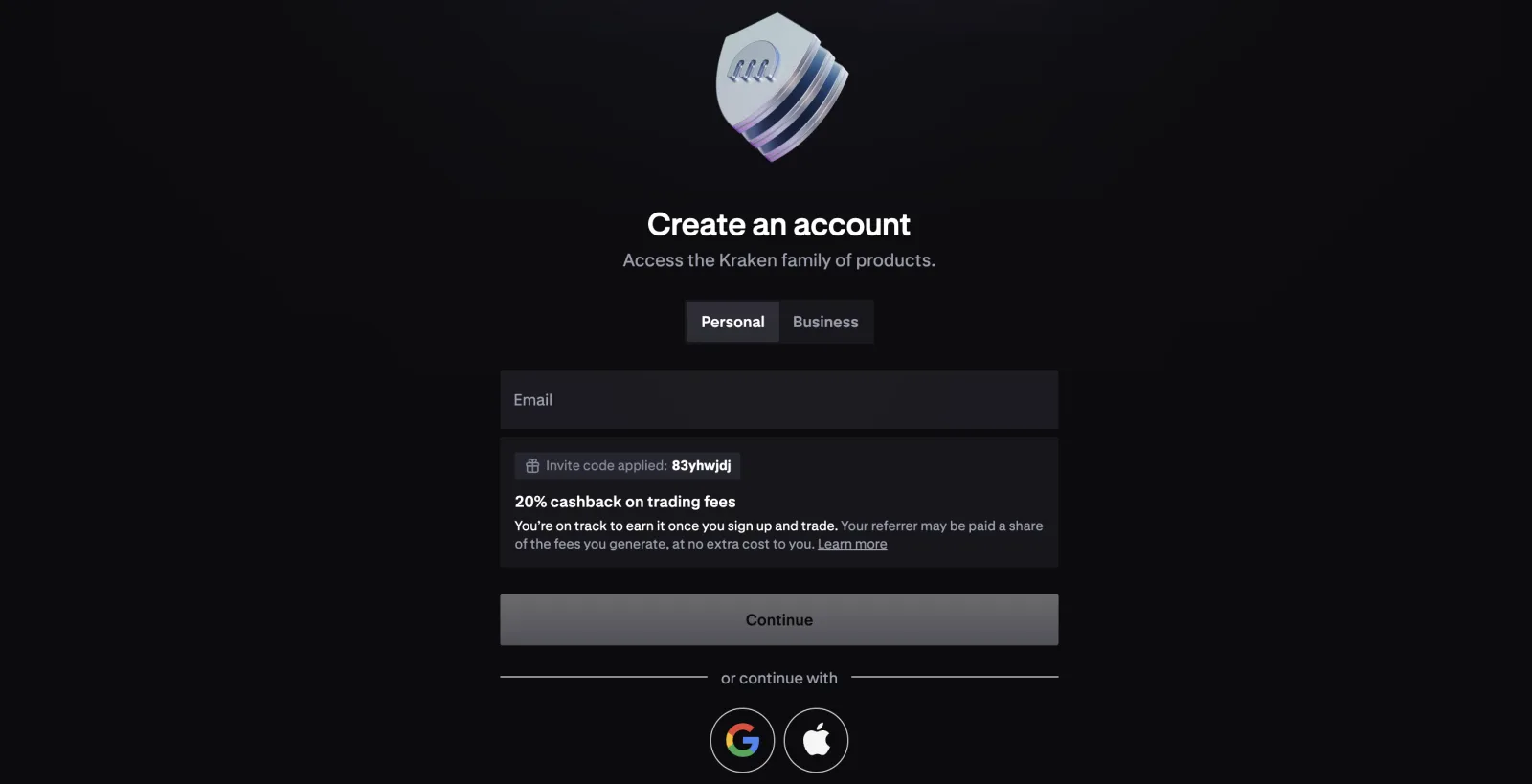
Kraken: look for the applied-code notice
In this Kraken registration example, the page shows ‘Invite code applied: 83yhwjdj’ and a 20% trading-fee cashback notice. This shows that the page has recognised the code and displayed an offer before registration; it does not by itself confirm that an account was created, a referral relationship was recorded or cashback was paid. The offer and eligibility depend on Kraken’s current terms.
Binance and Bybit
On Binance, check any referral ID and offer displayed during registration. Its Rewards Hub lists certain campaign tasks and vouchers, but a missing voucher does not by itself prove whether a referral code or trading-fee rebate was applied. Confirm the relevant offer with Binance support if necessary.
On Bybit, check the referral code before completing registration. Bybit’s account-settings FAQ says a code generally cannot be added, removed or changed after registration; contact its official support if you are unsure about your account.
After registration
Check your account’s available benefits, task requirements and relevant fee or rebate records. A code displayed at sign-up, an eligible referral relationship and an actual payment are separate stages; verification, trading activity, timing and regional restrictions may affect the result. If the relationship or benefit is unclear, ask the exchange’s official support to check your account.
Common questions
If the code does not appear, stop before submitting, reopen the referral link and check for a referral field. Enter the code manually only where the exchange offers that option; if there is no clear confirmation, contact official support before registering.
If you have already registered without a code, ask the exchange whether any correction is possible; do not assume it can be added later. If no cashback has arrived, review eligibility, qualifying fees, payment timing and the offer’s terms before contacting support. Never share passwords, verification codes or private keys.
Sources
- Kraken app referral program (opens in a new tab)
- Binance Rewards Hub (opens in a new tab)
- Bybit account settings FAQ (opens in a new tab)